Difference between revisions of "User talk:Manseau"
Jump to navigation
Jump to search
| Line 24: | Line 24: | ||
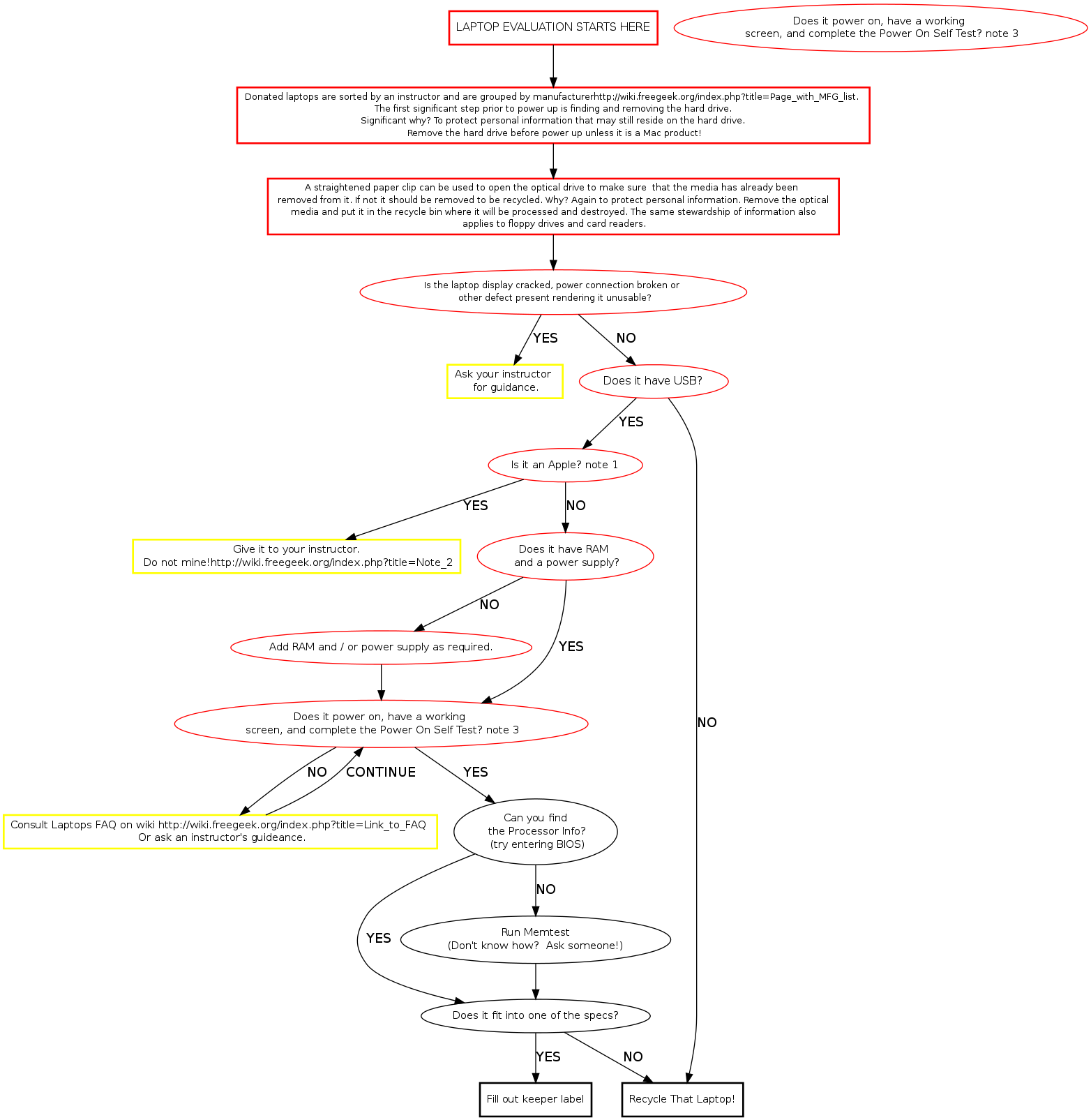
getpower [label="Add RAM and / or power supply as required.", fontsize="11", color="red"] | getpower [label="Add RAM and / or power supply as required.", fontsize="11", color="red"] | ||
| − | poweron [label="Does it power on, have a working screen, and complete Power On Self Test?note 3", fontsize="11", color="red"] | + | poweron [label="Does it power on, have a working \n screen, and complete Power On Self Test? note 3", fontsize="11", color="red"] |
| − | handwavy [label="Consult Laptops FAQ on wiki [[link to FAQ]] | + | handwavy [label="Consult Laptops FAQ on wiki \n[[link to FAQ]] Or Ask an Instructor.", fontsize="11", shape="box", style="bold", color="yellow"] |
procclass [label="Can you find\n the Processor Info?\n (try entering BIOS)" fontsize="11"] | procclass [label="Can you find\n the Processor Info?\n (try entering BIOS)" fontsize="11"] | ||
Revision as of 15:17, 16 January 2010
==Notes for discussion
    1  Would there be a point that you would get a mac without an instructor's knowledge
    2  Link to elaboration on macs
    3  Link to possible solutions
Memtest Notes
Memtest is a useful tool found on many boot disks. Besides testing memory, it provides us a quick way to find processor and memory info. Memtest is available on ebmulti floppies, ubuntu (or other debian based) live cds, and our netboot server.