Difference between revisions of "User talk:Manseau"
Jump to navigation
Jump to search
| Line 5: | Line 5: | ||
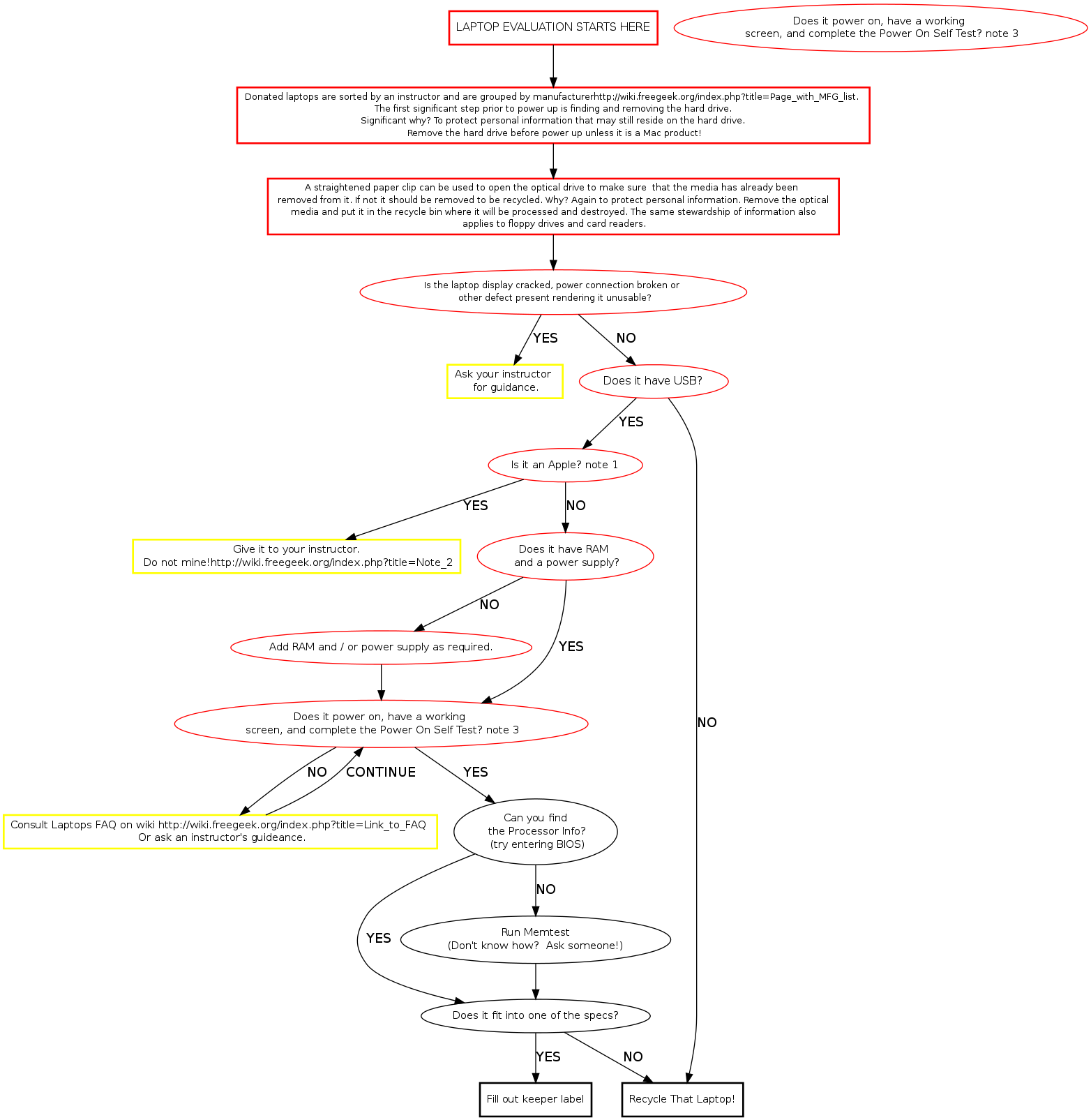
start [label="LAPTOP BUILD STARTS HERE", fontsize="12", shape="box", style="bold"] | start [label="LAPTOP BUILD STARTS HERE", fontsize="12", shape="box", style="bold"] | ||
sort [label="Donated laptops are sorted by the instructor and are grouped by [[Media:Example.ogg]]manufacturer.\n The first significant step is finding and removing the hard drive. Significant why?\n To protect personal information that might still reside on the hard drive.", fontsize="10", shape="box", style="bold"] | sort [label="Donated laptops are sorted by the instructor and are grouped by [[Media:Example.ogg]]manufacturer.\n The first significant step is finding and removing the hard drive. Significant why?\n To protect personal information that might still reside on the hard drive.", fontsize="10", shape="box", style="bold"] | ||
| − | hddrem [label="Not required yet, but a straightened paper clip can open the optical drive to make sure there isn't media in it.", fontsize="10", shape="box", style="bold"] | + | hddrem [label="Not required yet, but a straightened paper clip can open the optical drive to make sure there isn't media in it. If there is it should be removed to be recycled.", fontsize="10", shape="box", style="bold"] |
busted [label="Is the laptop visibly damaged rendering it unusable?", fontsize="10"] | busted [label="Is the laptop visibly damaged rendering it unusable?", fontsize="10"] | ||
ask [label="Ask an instructor what to do with it" fontsize="11", shape="ox", style="bold"] | ask [label="Ask an instructor what to do with it" fontsize="11", shape="ox", style="bold"] | ||
Revision as of 20:44, 11 January 2010
Memtest Notes
Memtest is a useful tool found on many boot disks. Besides testing memory, it provides us a quick way to find processor and memory info. Memtest is available on ebmulti floppies, ubuntu (or other debian based) live cds, and our netboot server.