Difference between revisions of "User talk:Manseau"
Jump to navigation
Jump to search
| Line 10: | Line 10: | ||
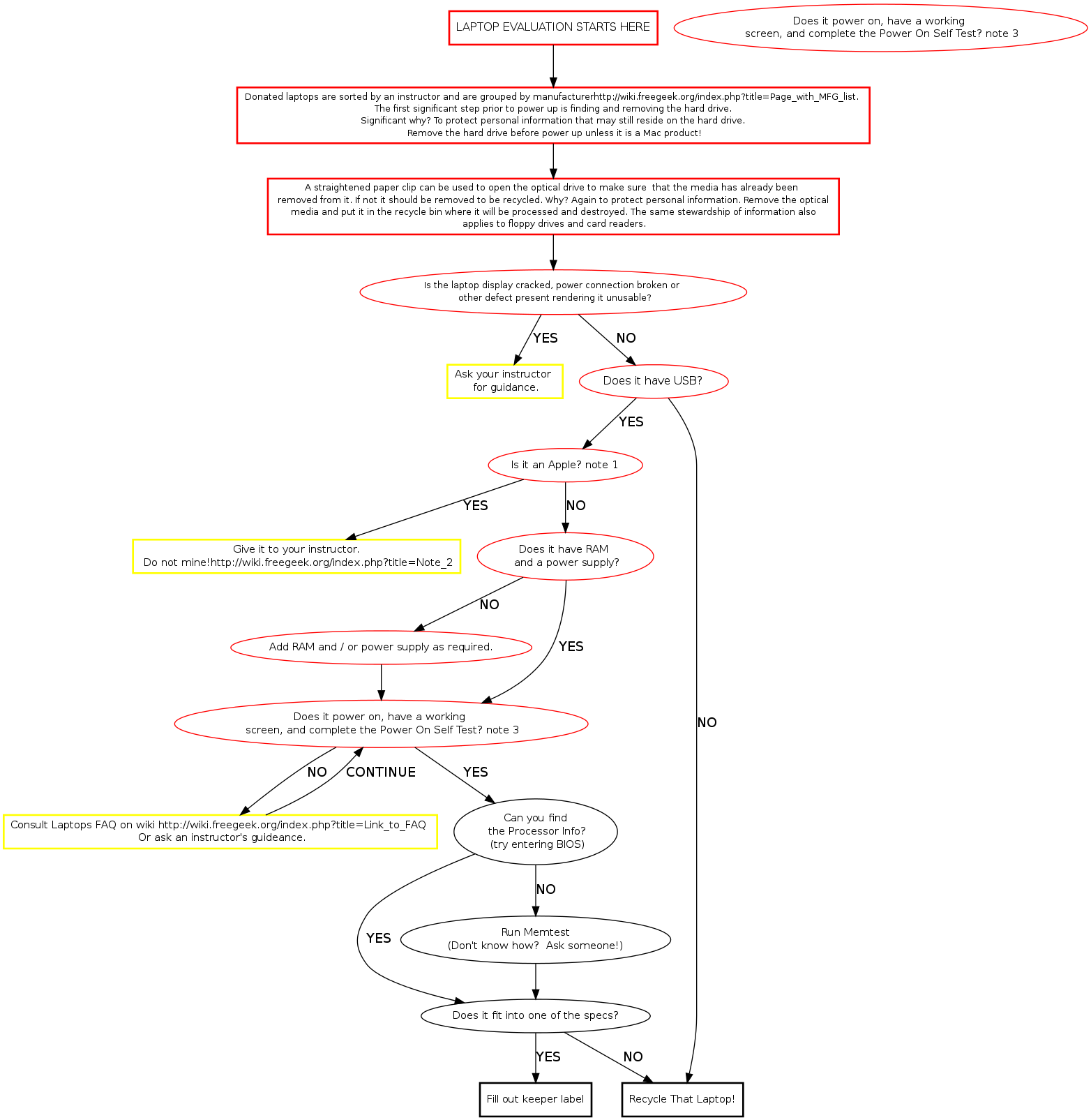
poweruf [label="For the laptop you are evaluating, retrieve a power supply from shelf matching output \n volts and amps to the input volts and amps specs on the laptop.", fontsize="12", shape="box", style="bold", color="black"] | poweruf [label="For the laptop you are evaluating, retrieve a power supply from shelf matching output \n volts and amps to the input volts and amps specs on the laptop.", fontsize="12", shape="box", style="bold", color="black"] | ||
| − | hddrem [label=" | + | hddrem [label="OPEN THE OPTICAL DRIVE by inserting a small diameter screwdriver into \n the caddy release hole. IF THERE IS MEDIA IN IT, REMOVE IT from the caddy \n and put it in the recycle bin.", fontsize="11", shape="box", style="bold", color="black"] |
sort [label=" Remove the hard drive and put it in the incoming HDD bin.If it's an Apple product the \n instructor will direct you in what to do with it.[[Data Protection Policy]]" fontsize="11",shape="box", style="bold", color="black"] | sort [label=" Remove the hard drive and put it in the incoming HDD bin.If it's an Apple product the \n instructor will direct you in what to do with it.[[Data Protection Policy]]" fontsize="11",shape="box", style="bold", color="black"] | ||
| Line 51: | Line 51: | ||
tstore [label=" Verify hard drive removed and \n [[As Is]] sale sticker. \n Forward to thrift store." fontsize="11", shape="box", style="bold", color=""] | tstore [label=" Verify hard drive removed and \n [[As Is]] sale sticker. \n Forward to thrift store." fontsize="11", shape="box", style="bold", color=""] | ||
| − | parts [label=" | + | parts [label="AFFIX A PARTS ONLY LABEL and identify problems \n in detail with laptop. \n AFFIX A KEEPER LABEL ON IT IF ONE DOES NOT EXIST",fontsize="11", shape="box", style="bold", color="green"] |
| − | rcycle [label="",fontsize="11", shape="box", style="bold", color="green"] | + | rcycle [label="[[RECYCLE]]procedures.",fontsize="11", shape="box", style="bold", color="green"] |
prts [label="",fontsize="11", shape="box", style="bold", color="green"] | prts [label="",fontsize="11", shape="box", style="bold", color="green"] | ||
Revision as of 13:48, 23 January 2010
Memtest Notes
Memtest is a useful tool found on many boot disks. Besides testing memory, it provides us a quick way to find processor and memory info. Memtest is available on ebmulti floppies, ubuntu (or other debian based) live cds, and our netboot server.